Free: choose a folder and play – music, audiobooks, podcasts, films and e-books fall into order by themselves. No import, no account, no cloud. iTunes libraries (XML), too.
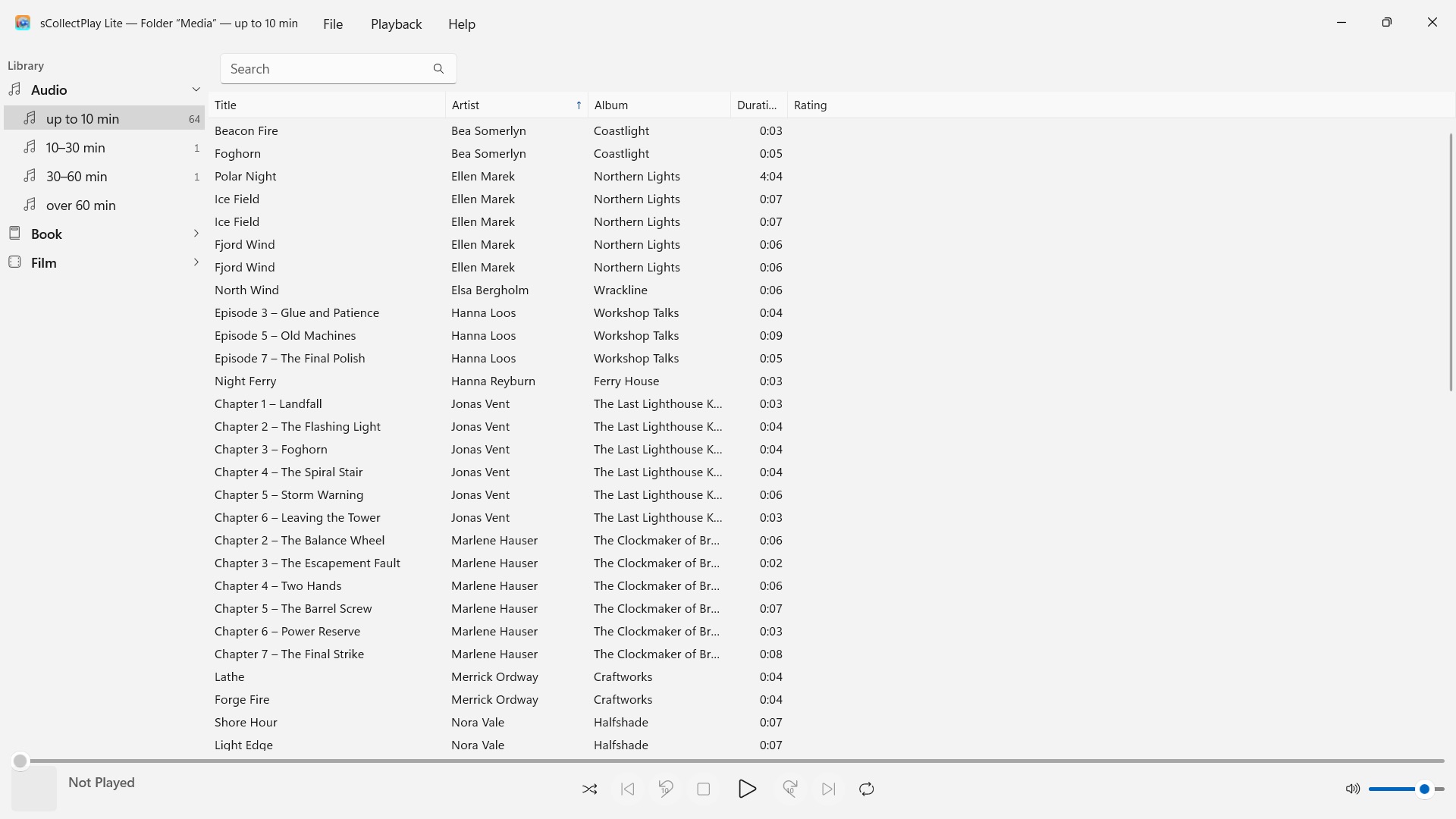
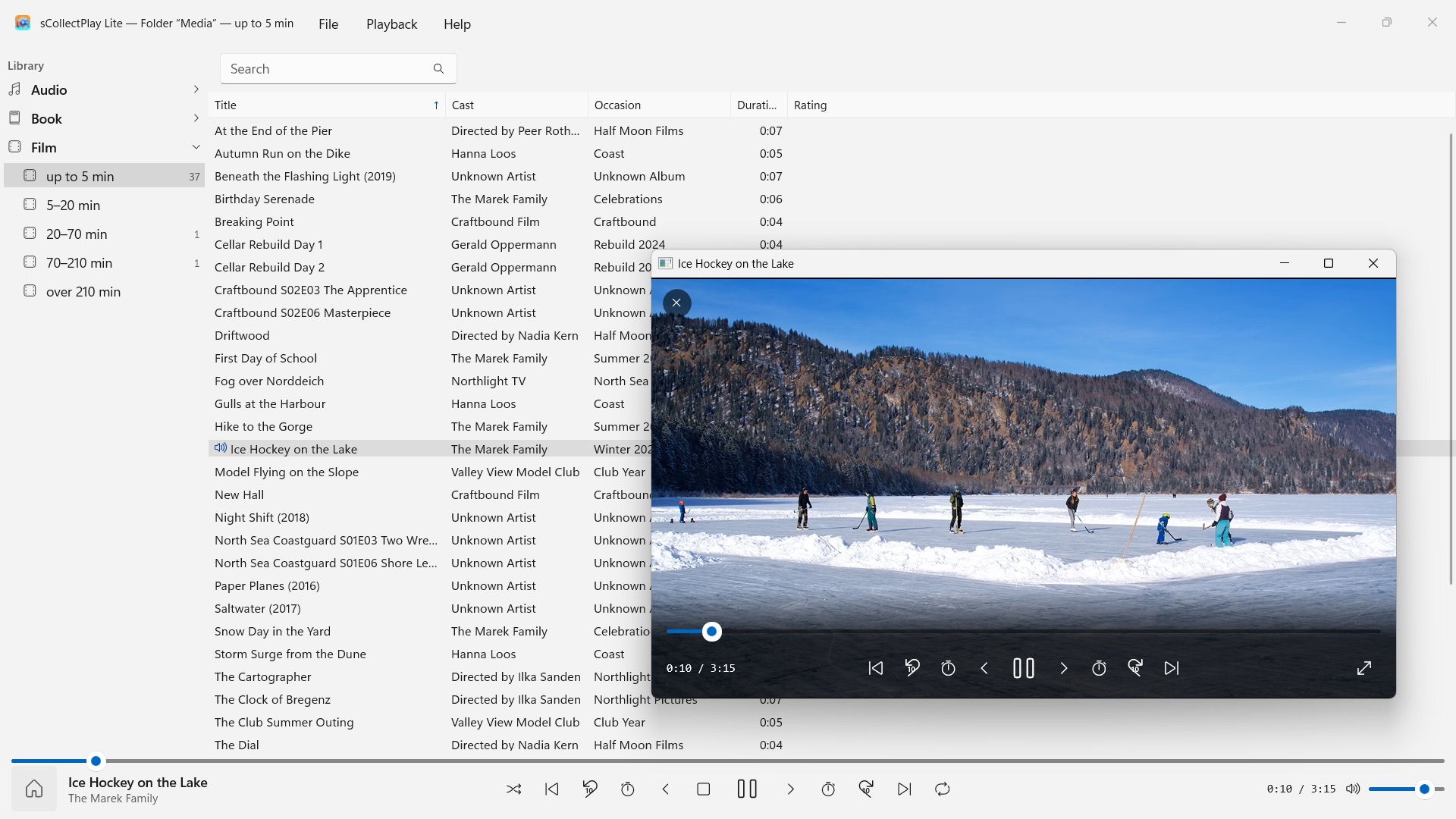
sCollectPlay Lite plays your collection where it lives: in any folder, on external drives or on a network drive. Choose a folder, and music, audiobooks, podcasts, films and e-books appear sorted in one list – no import, no copying, and nothing about your files changes.
24 languages: English, German, Czech, Croatian, Dutch, Finnish, French, Hungarian, Italian, Japanese, Korean, Norwegian Bokmål, Persian, Polish, Portuguese, Romanian, Russian, Spanish, Swedish, Thai, Turkish, Ukrainian, Chinese (Simplified and Traditional). The app follows the Windows display language.
This edition plays one source per session: a folder or an XML. Opening another one replaces the previous one.
TWO SOURCES
- Folders: sCollectPlay Lite searches a folder and its subfolders and reads title, artist, album, genre and duration from the files themselves. “Refresh Scanned Folders” (Ctrl+R) then reads only what is new, changed or removed.
- iTunes XML: the library of iTunes for Windows with playlists, ratings and play counts. The app takes each track’s type – music, audiobook, podcast, feature film, series or music video – from the XML.
ORDER WITHOUT EFFORT
A folder doesn’t say whether a file is a song or an audiobook. That is why sCollectPlay Lite sorts by length when scanning: audio up to 10, 10–30, 30–60 and over 60 minutes, video from short clips to films over three and a half hours. Songs, radio-play episodes and audiobooks end up apart without you having to set anything. The app recognizes e-books and PDFs by their file extension.
FINDING
- Search across title, artist, album, genre and more – inside playlists, too
PLAYBACK
- Audio with queue, shuffle and repeat
- Videos in their own window, with slow motion, frame-by-frame stepping, audio track and subtitle selection and full screen
- Windows plays most formats itself – MP3, AAC, FLAC, OGG, Opus and WMA as well as MP4, MKV, AVI, WMV and MPG. What it doesn’t know, such as AIFF, DSD or FLV, the app hands to the program set in Windows for that file type – VLC, for example
MORE IN THE FULL VERSION
sCollectPlay combines several folders into one collection, remembers the last source across restarts and offers a column browser by genre, artist and album, freely chosen columns, your own and smart playlists, and export of playlists as a folder with an M3U8 list for VLC and devices.
YOUR FILES STAY AS THEY ARE
sCollectPlay Lite writes no tags and changes no metadata. It deletes only on your explicit command: a media file from scanned folders then goes to the Recycle Bin (on drives without one, such as network drives, it is deleted permanently after confirmation). The app never deletes files in an sCollect library or an iTunes XML.
ON YOUR PC, AND NOWHERE ELSE
No accounts, no cloud, no analytics, no advertising. The app accesses only the folders you give it. Every language with complete help.
- Requires Windows 11 or later
- 24 languages
- Support: SwiftAppsBavaria@gmx.net
- Privacy Policy for sCollectPlay and sCollectPlay Lite